

Given the following text file as input there are 3 easy steps to follow so that you can extract all email addresses contained inside the text.
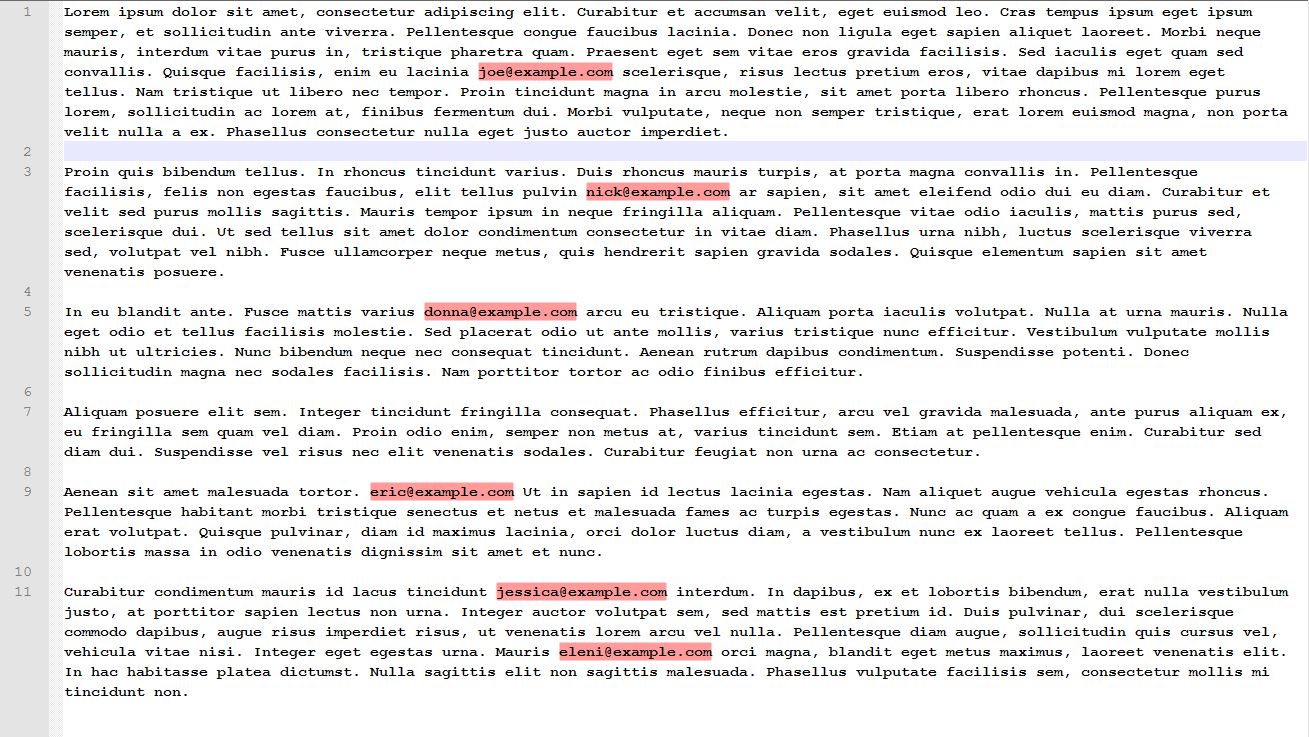
1st Step – Find email addresses using regex match
Use the find & replace feature of notepad++
Find: (\b[A-Za-z0-9._%+-]+@[A-Za-z0-9.-]+\.[A-Za-z]{2,4}\b)
Replace: \r\n$&\r\n

this adds and new line before and after each email address.

Step 2 – Mark email addresses and bookmark lines
Mark: (\b[A-Za-z0-9._%+-]+@[A-Za-z0-9.-]+\.[A-Za-z]{2,4}\b)
have “Bookmark Line” checked.

Step 3 – Remove unmarked lines
Search > Bookmark > Remove Unmarked Lines

Continue at: https://www.kniko.net/how-to-extract-email-addresses-from-a-text-file-using-notepad-with-no-coding-at-all/
The text above is owned by the site above referred.
Here is only a small part of the article, for more please follow the link
Also see:

 Manostaxx – Industrial Management Consulting


